Customer & vehicle check-in
Record customers, vehicles and the work requested when a vehicle arrives at reception.
Workshops & service
Kaziku
Connect customer check-in, repair work and the people on your workshop floor. Kaziku gives vehicle service teams a more organised path from arrival to handover.
Kaziku
A repair job connects the customer, reception, technicians, parts and the cashier. Kaziku brings those records and stages into role-based workspaces so the next person can follow the work that has already been recorded.
Follow customer and repair records across the roles involved in delivering the service.
Record customers, vehicles and the work requested when a vehicle arrives at reception.
Follow repair stages and technician assignments so the team can see what needs attention.
Record estimates and customer approval before moving the agreed work forward.
Connect repair parts with stock workflows and the staff responsible for supplying them.
Prepare repair invoices and record manual cash receipts. Payment-provider connections and fiscal issuance require their own setup and verification.
Provide focused views for owners, reception, technicians, stores, cashiers and customers, according to their access.
Record the customer, vehicle and the service request at reception.
Prepare the estimate, record the customer’s decision and coordinate technicians and parts.
Follow the completed repair, invoice and recorded receipt before the vehicle is handed over.
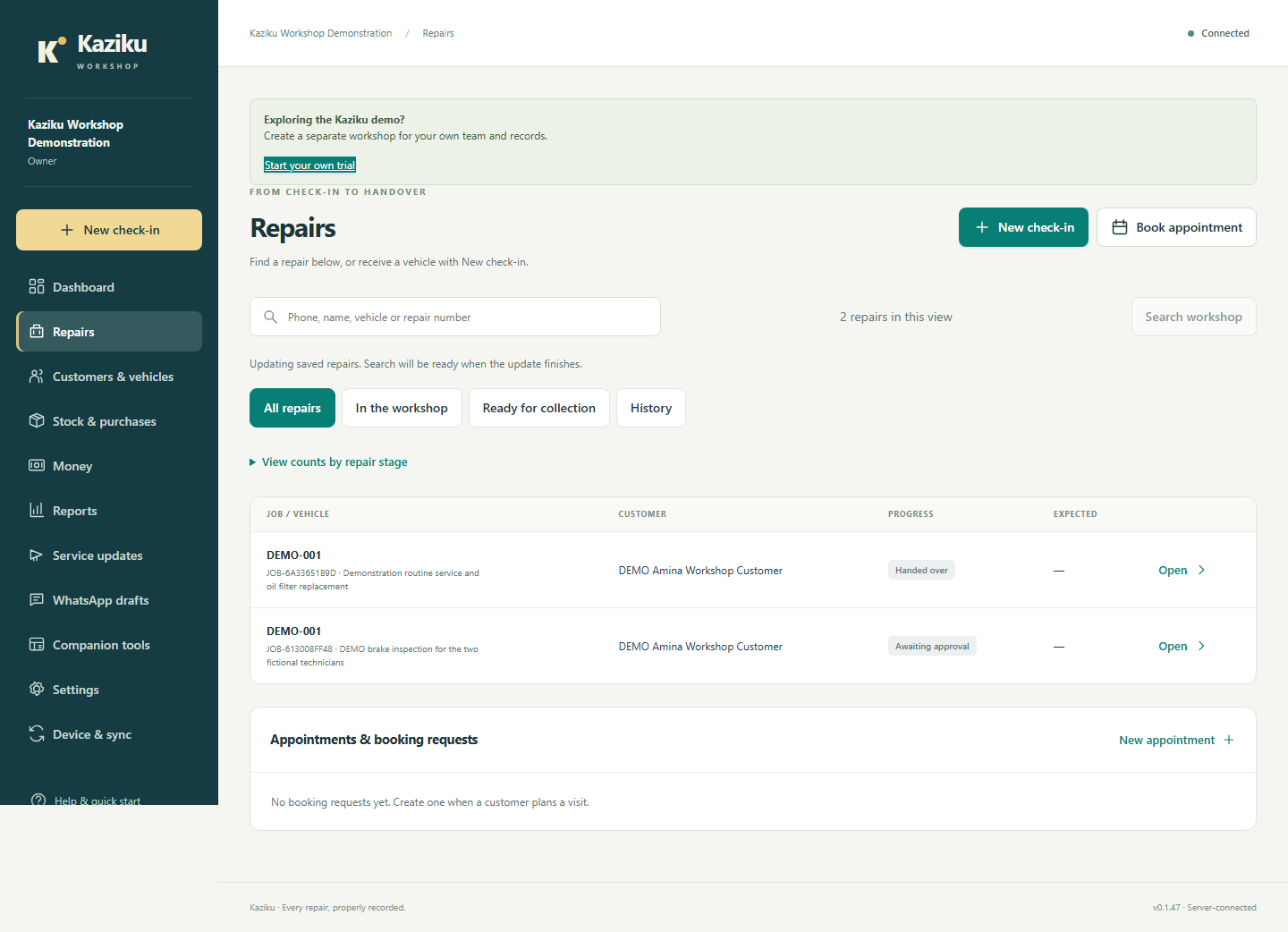
Actual Kaziku interface examples using deliberately fictional local workshop records. The examples show recorded workflows, not live payment or fiscal services.
View full screenshot (opens in a new tab)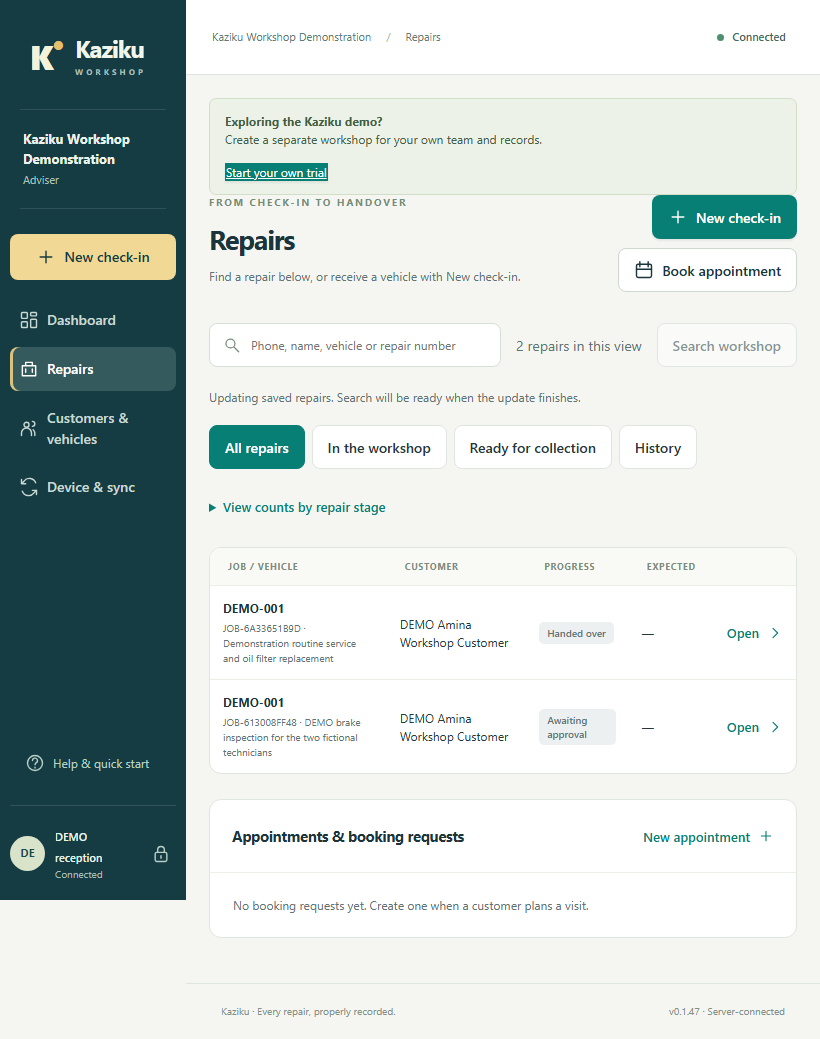 View full screenshot (opens in a new tab)
Yes. Kaziku includes focused role workspaces. Your setup and permissions determine what each staff member can open and change.
They depend on the configured service and separate verification. The examples here show manually recorded cash receipts and do not demonstrate live payment collection or fiscal issuance.
Yes. Enquire with your workshop size, team roles and the repair workflows you want to organise, and we can discuss the right demonstration.
Kaziku
Tell us how your workshop handles arrivals, repairs and customer updates. Ask us about a demonstration for your workshop team.
Smart Biz Africa
Tell us what you want to organise. Choose a platform, or let us help you find a starting point.